Visualisation Portfolio
For us, Data Visualisation and Storytelling is a skill that you need to continually work at. It's a skill where experimentation, trial & error and critical review should be encouraged. When teaching courses on Data Visualisation, we encourage delegates to seek out bold and interesting data visualisations, and then critically assess their effectiveness through a number of different lens. The following are some example visuals and slides from our own experience where we have experimented with different approaches to tell simple but effective stories.
1. The concept of "Simple, One Slide Stories".
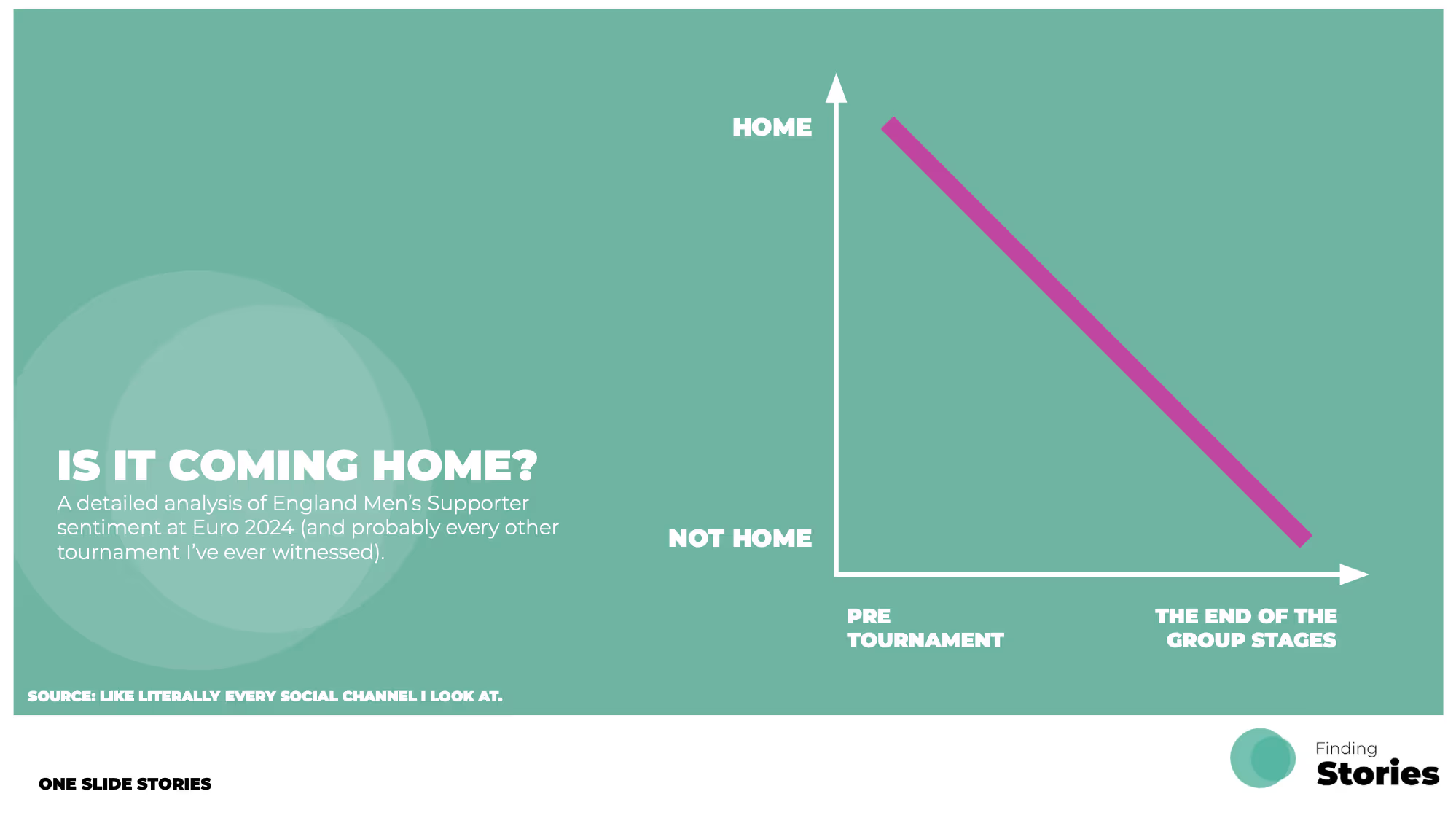
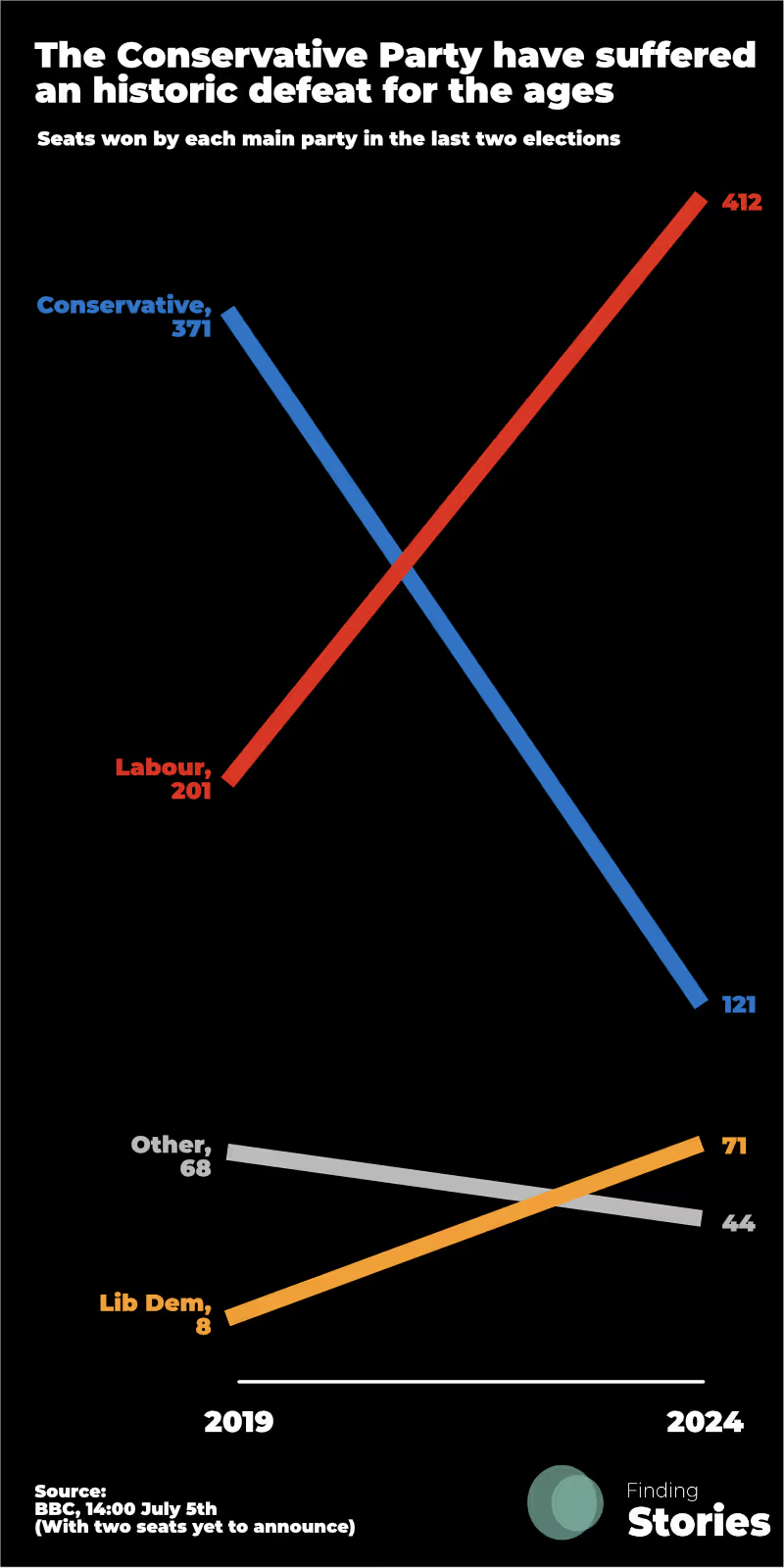
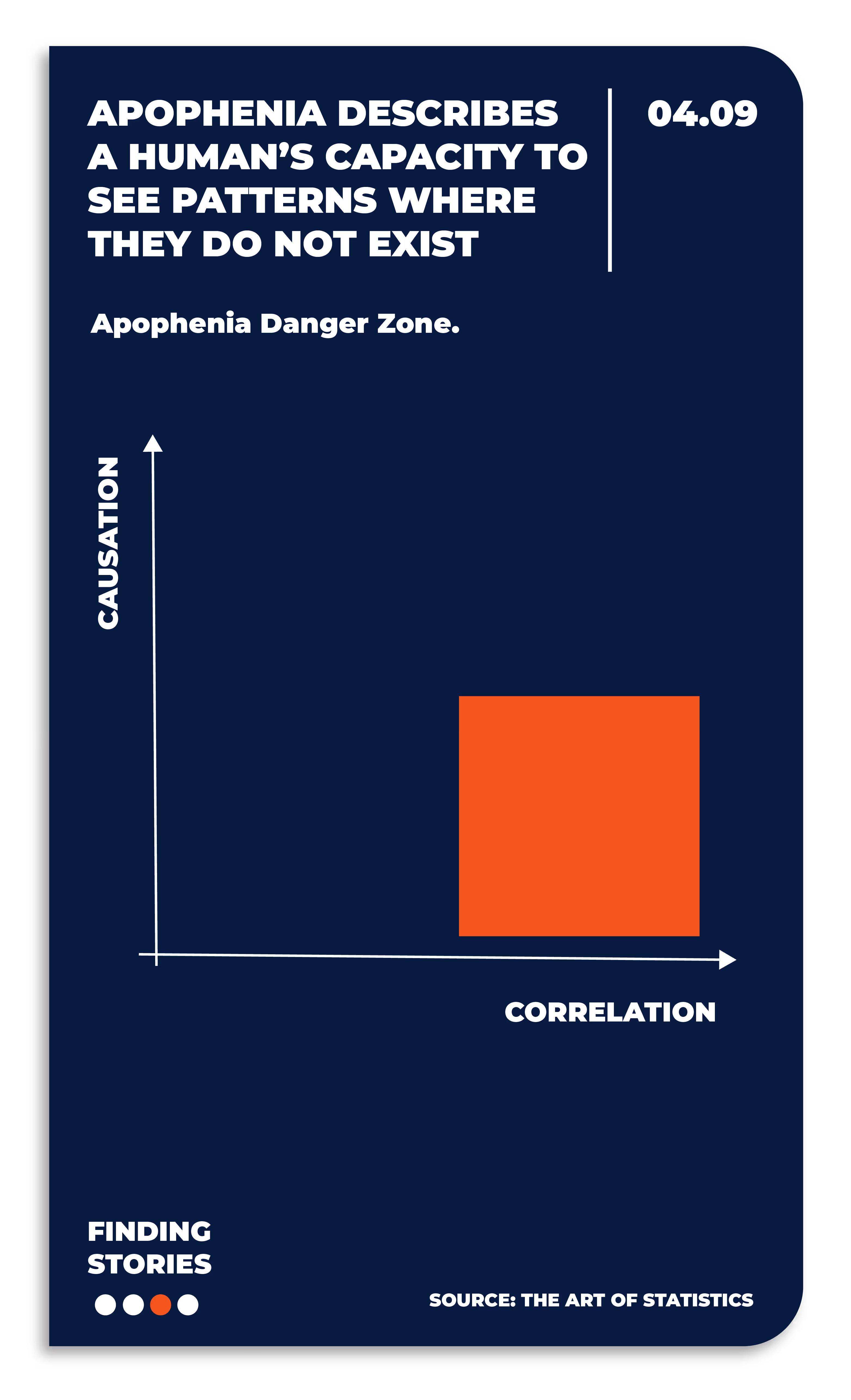
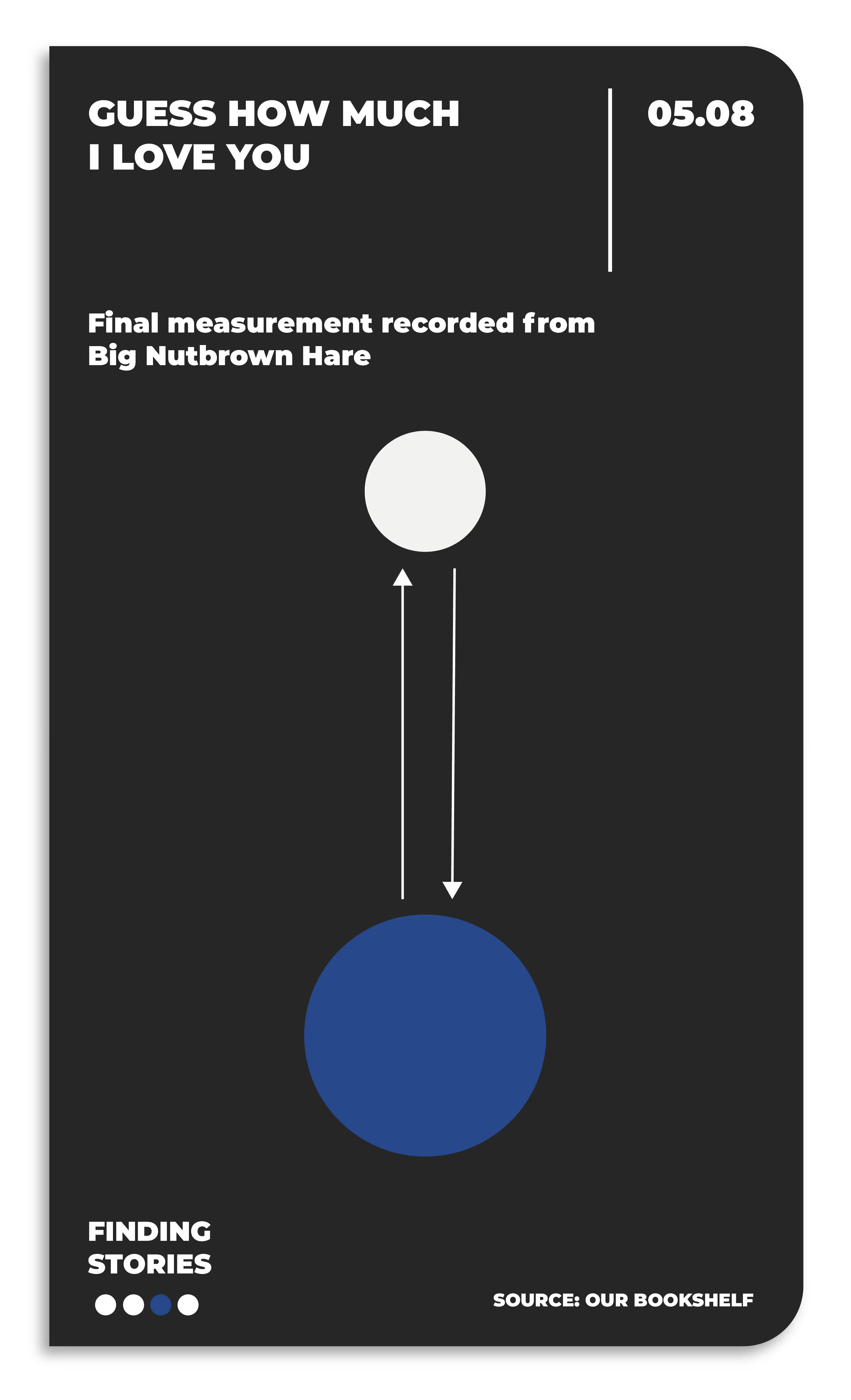
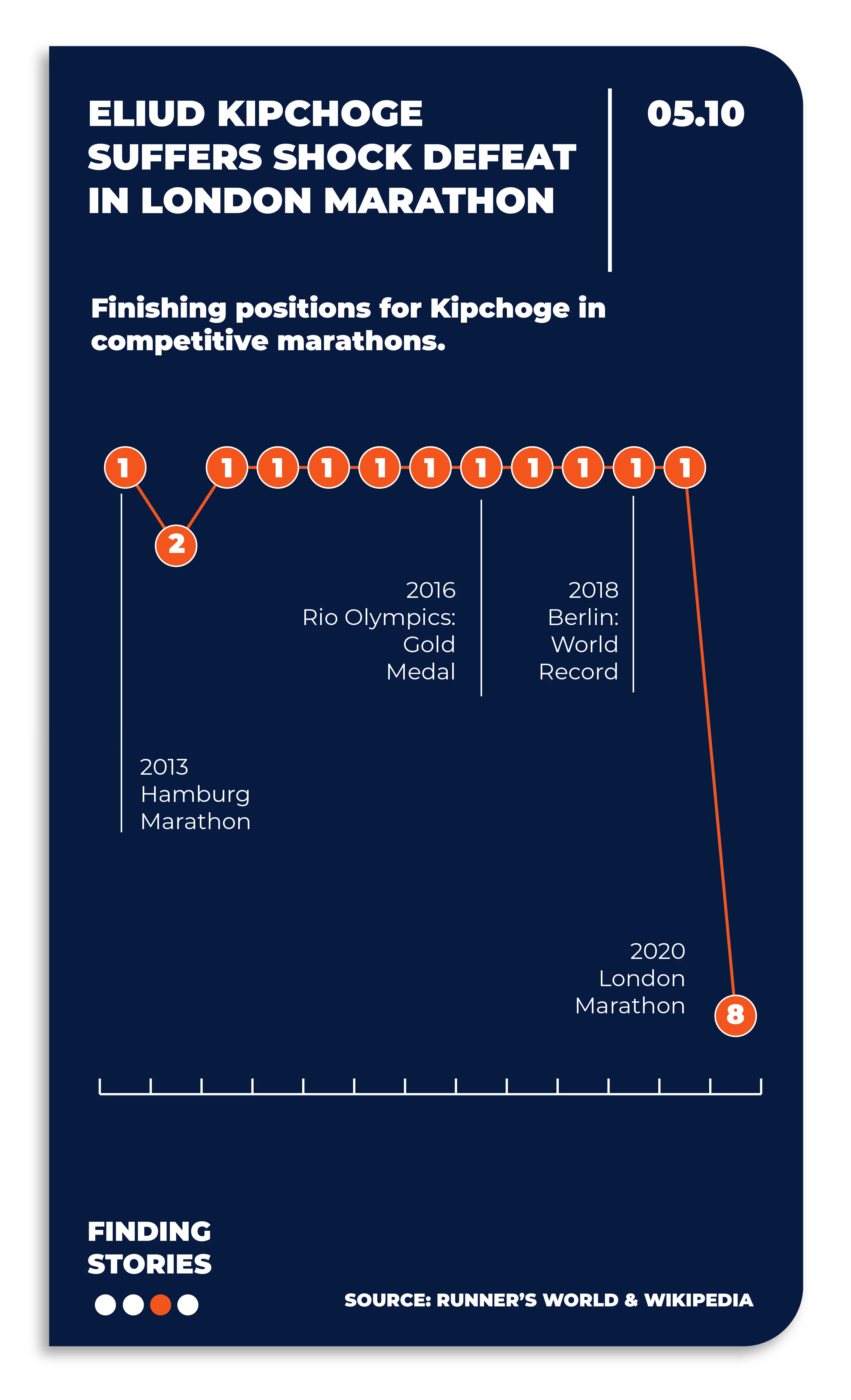
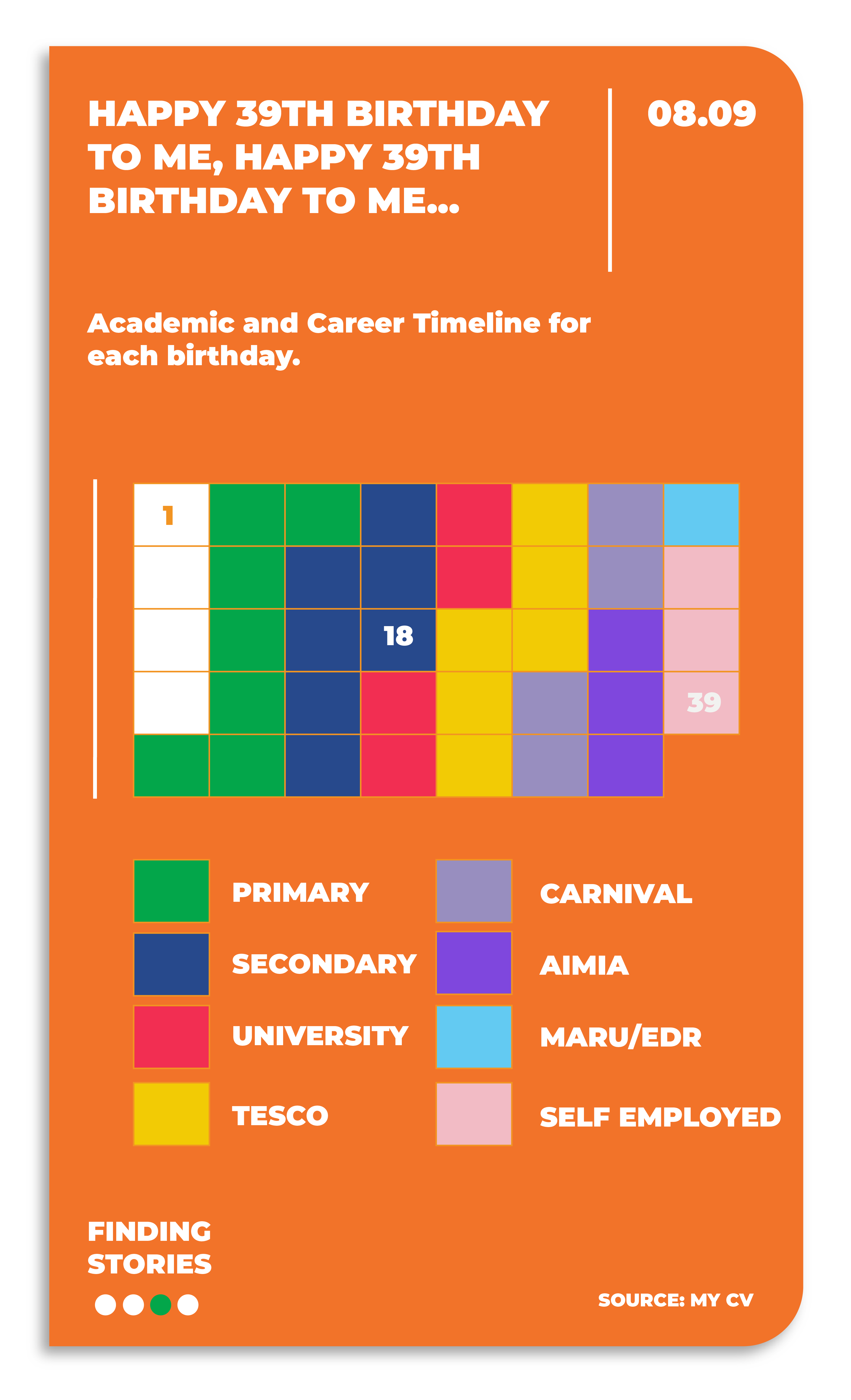
We're big fans of simple, bold visual designs to tell a data story – they’re great for grabbing attention, while still having something to say…even if it’s just light hearted. They are designed so that it should be relatively quick to process, understand and appreciate. These visualisations tend to take less time to create too. Win, win. Here’s a few personal examples:
2. Today's Story
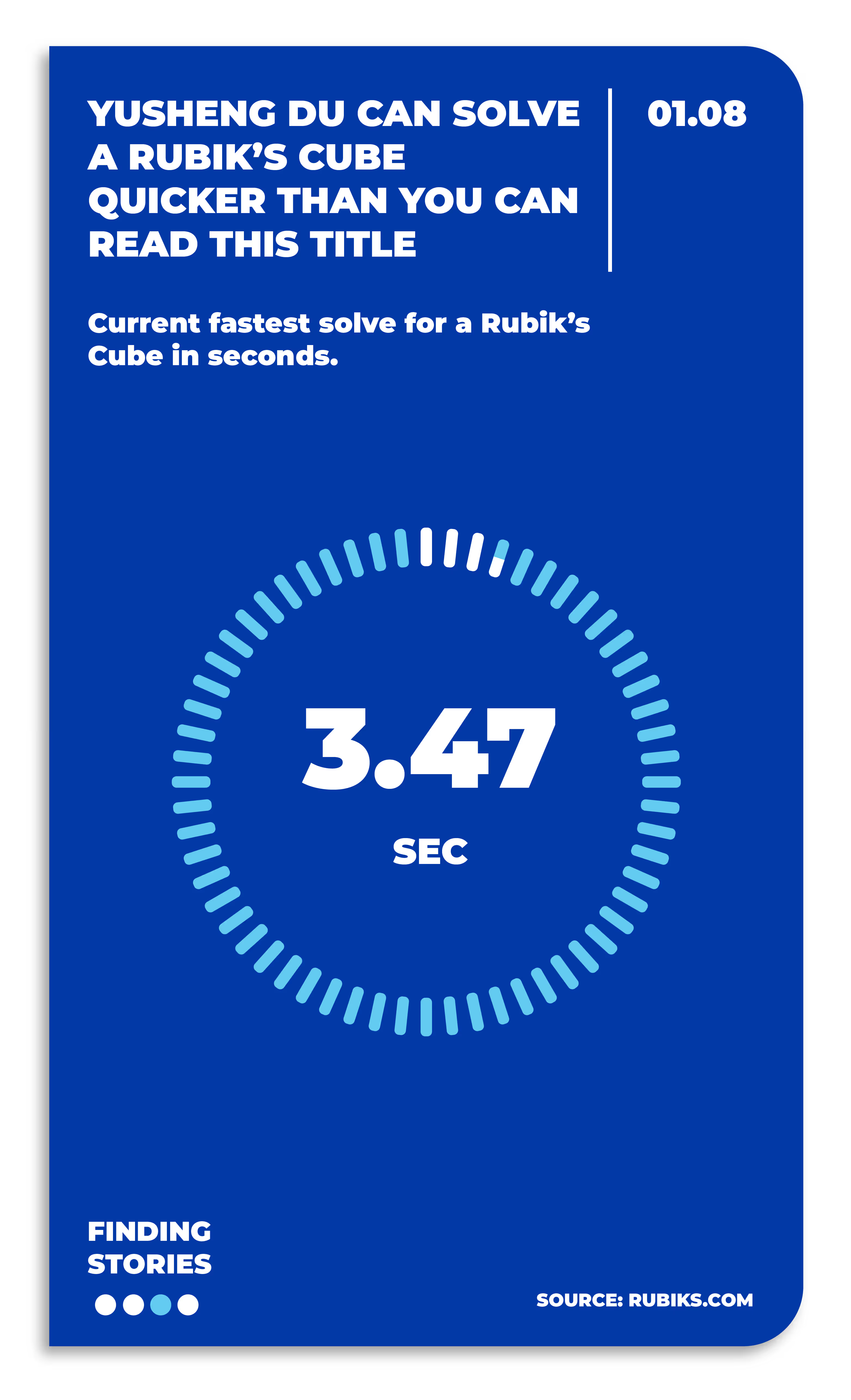
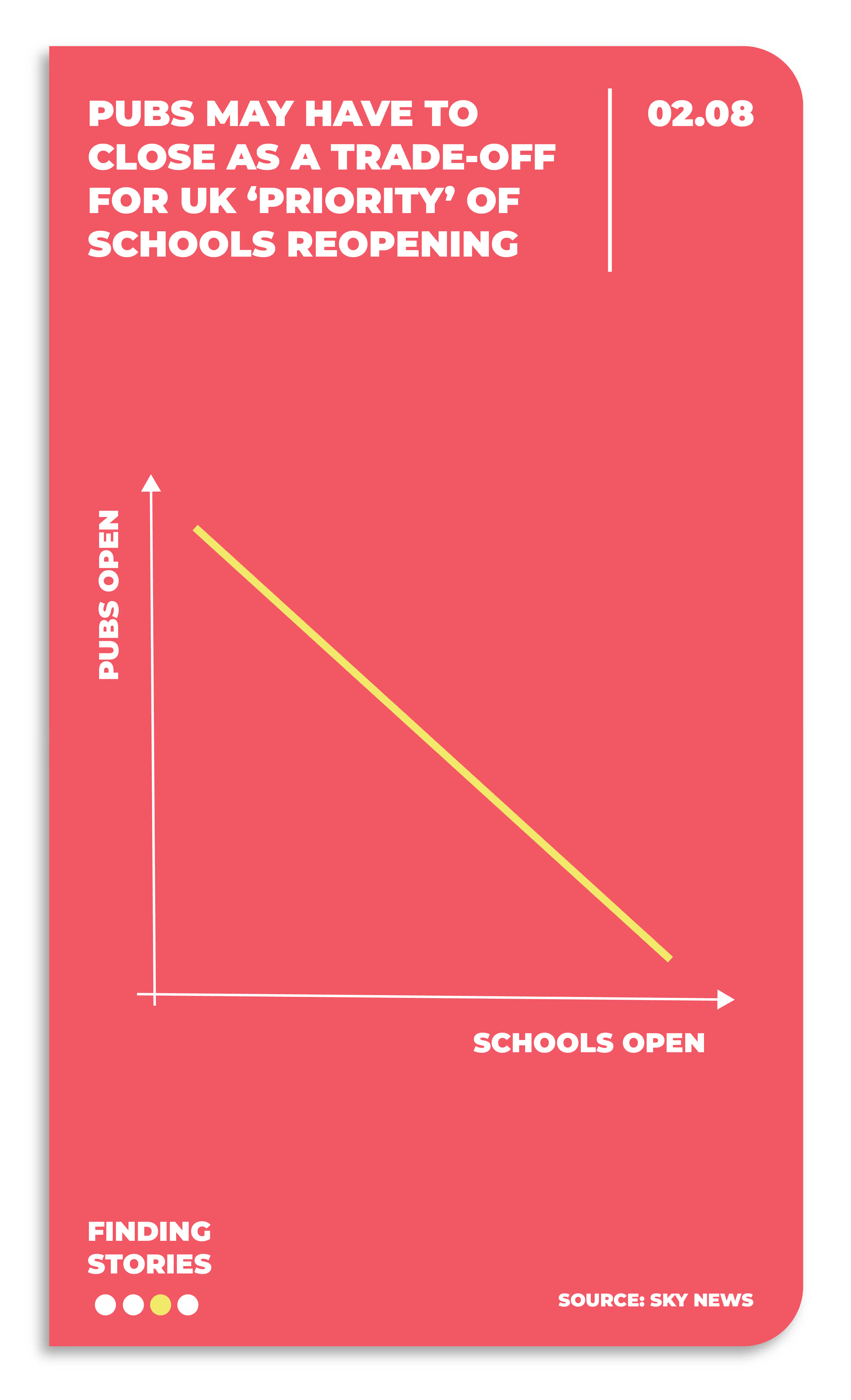
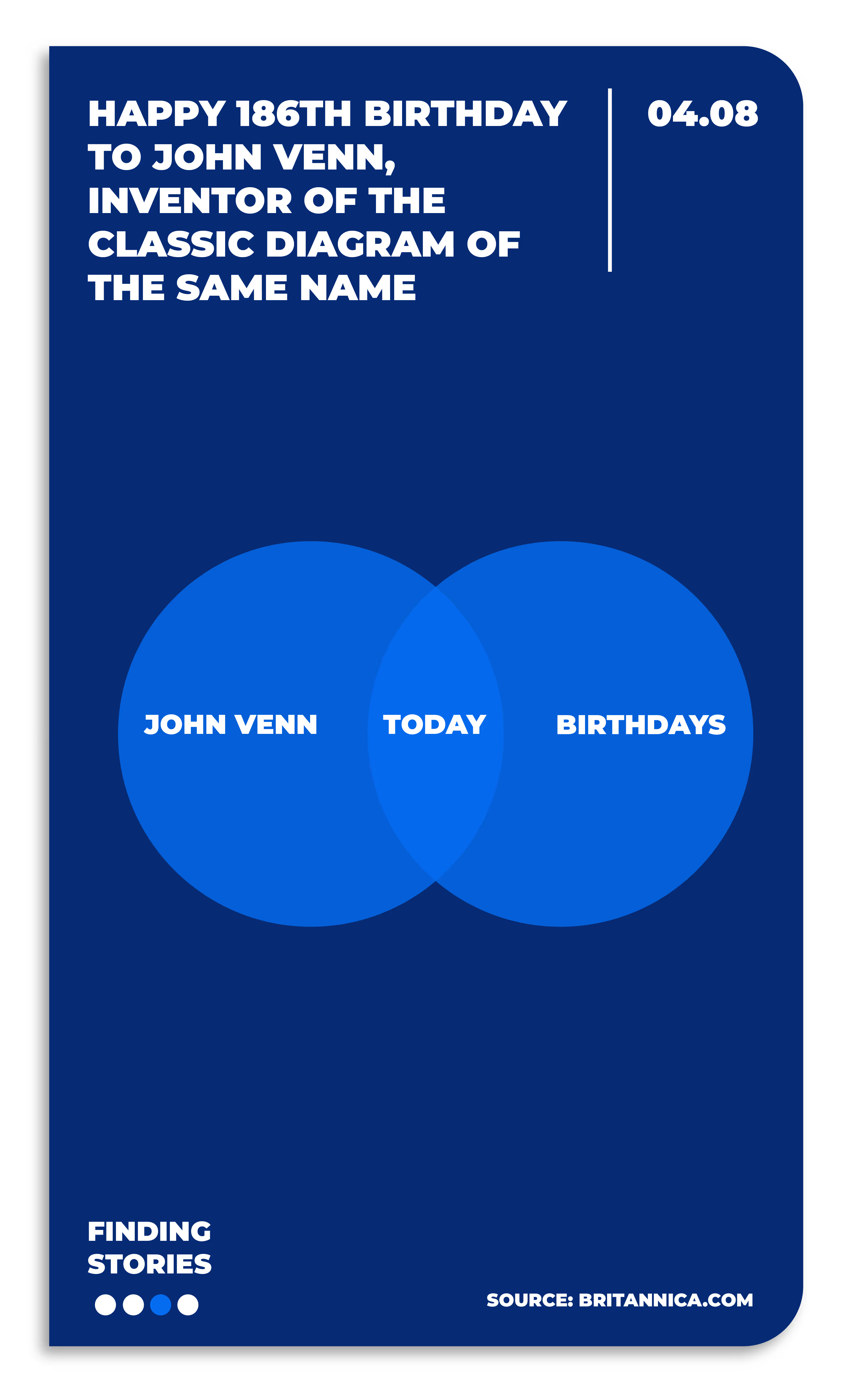
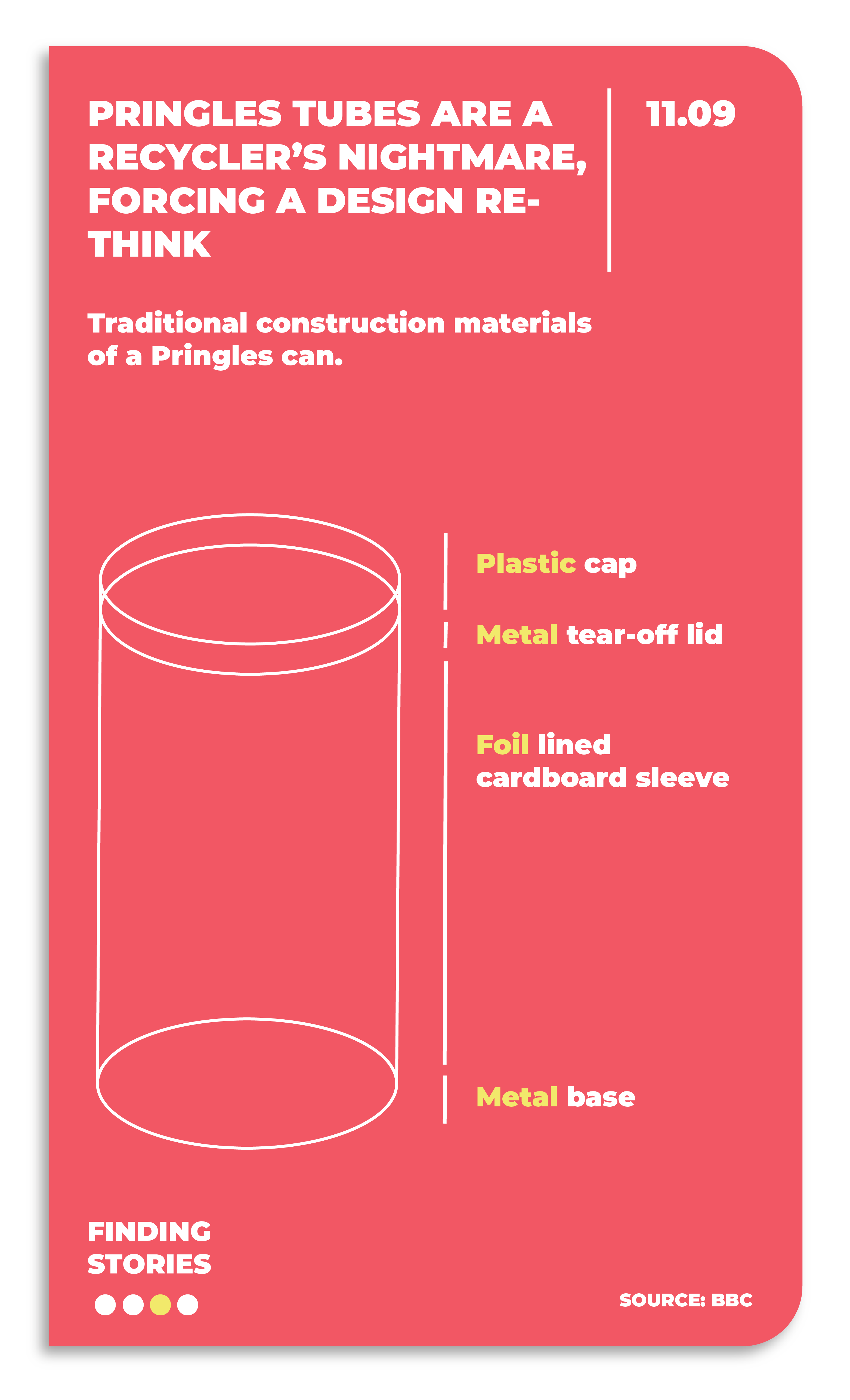
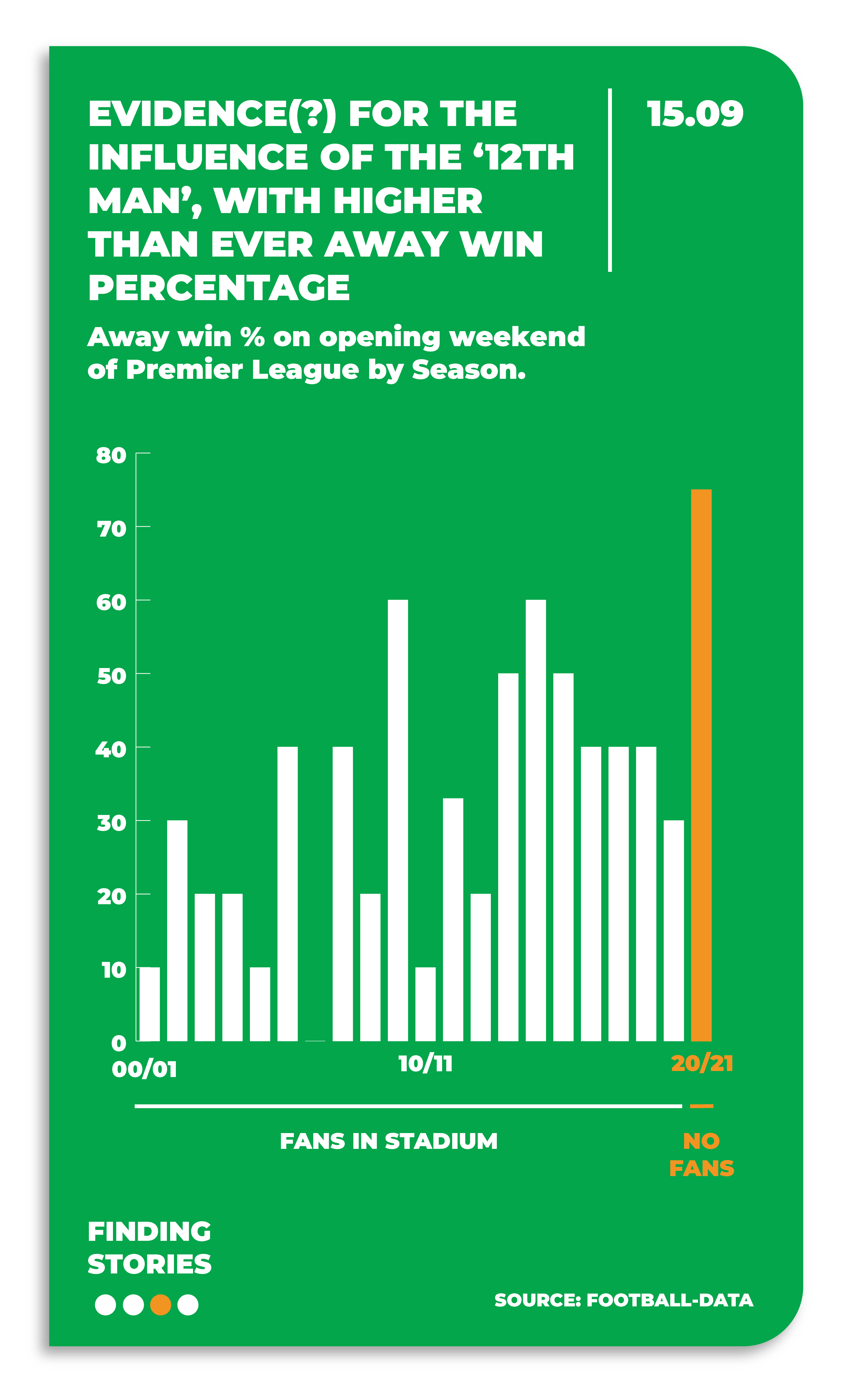
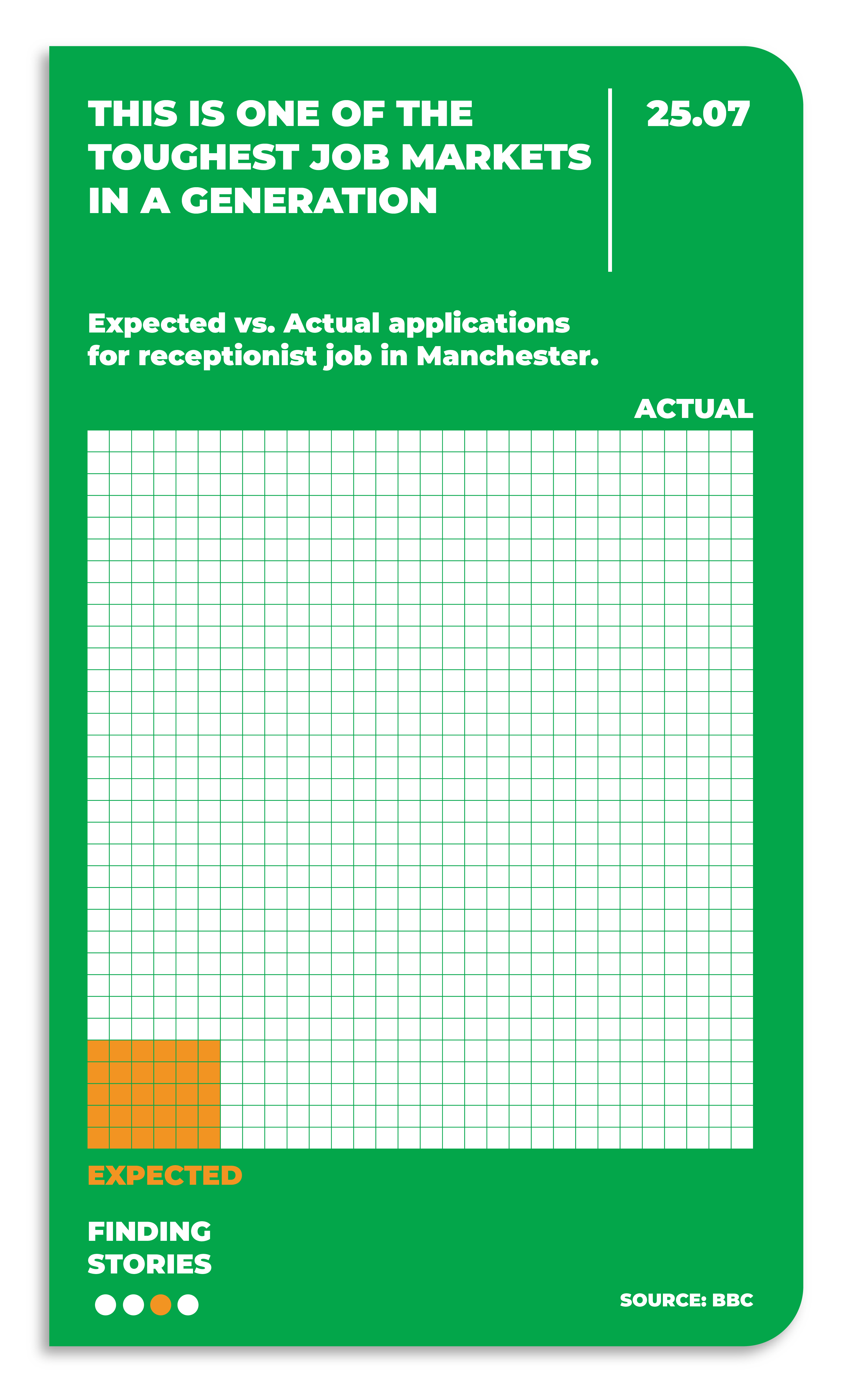
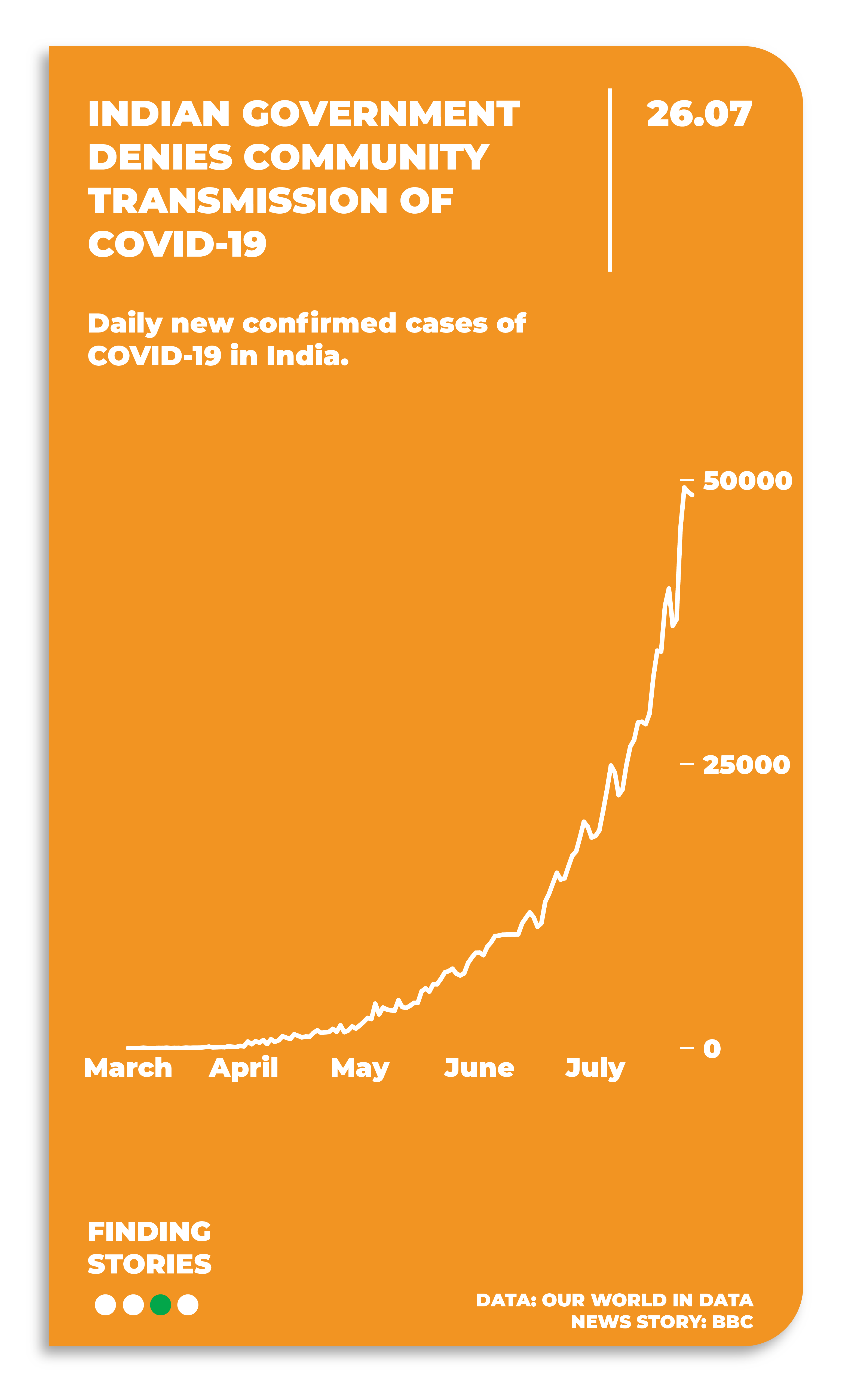
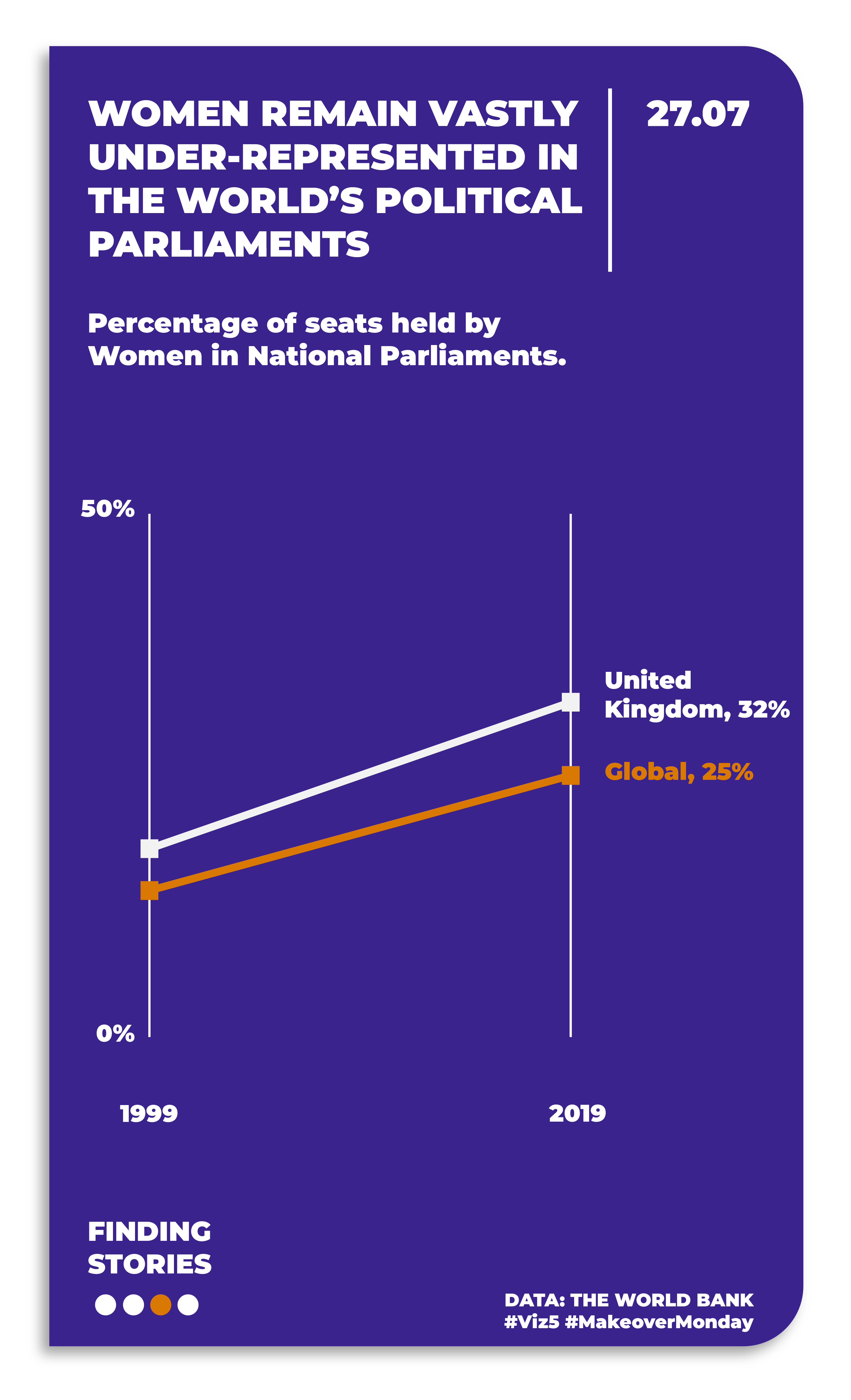
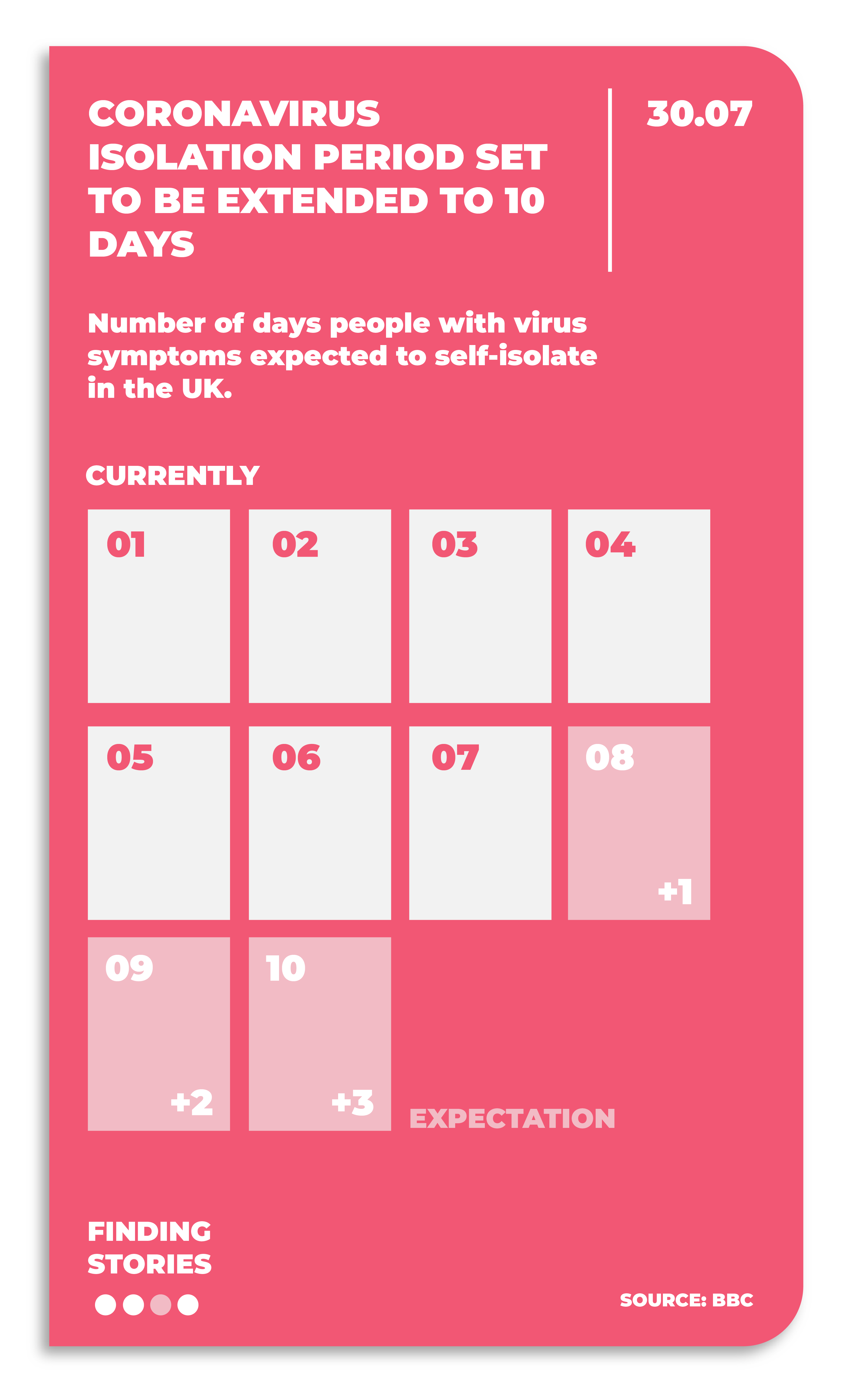
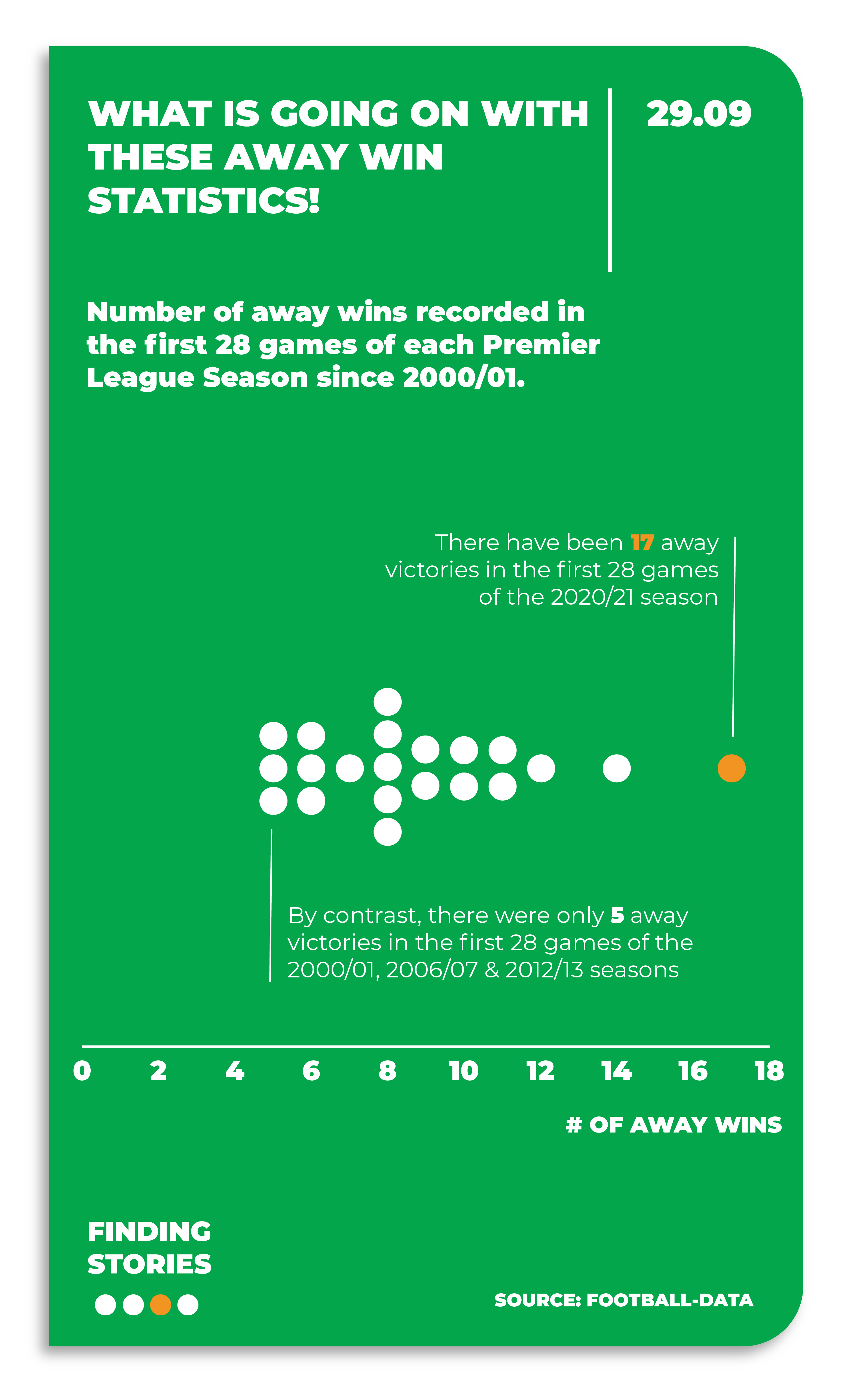
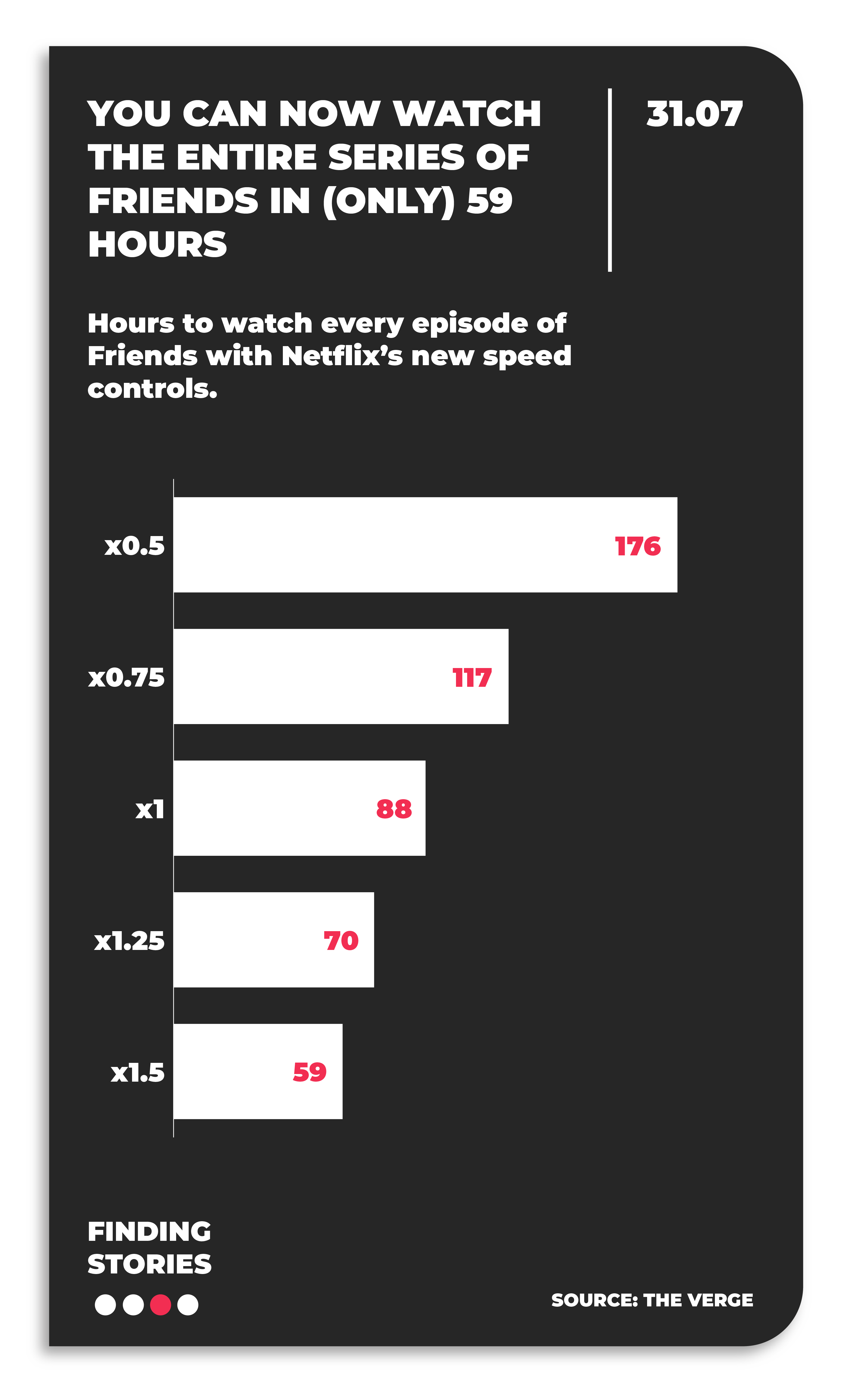
Back in 2020, I gave myself the challenge of creating some simple Daily Stories. My brief was to find a story in the news / something I’d recently seen and create a simple chart of it to bring the story to life through visualisation. Here are some examples:
(Note. these visuals were created during Covid Lockdown, so quite a few references to that and the stories around it).
3. Business Stories
For most of us, the visualisation stories we create will be used in the business context: How are sales trending up or down? Who are our customers? When is the right time to launch a new line? Etc.
My aim when creating data visualisations in my business work has always been to tell a story, make it easy to understand and make it pleasurable – three key facets of what I believe make up the ‘Anatomy of a Good Chart’:

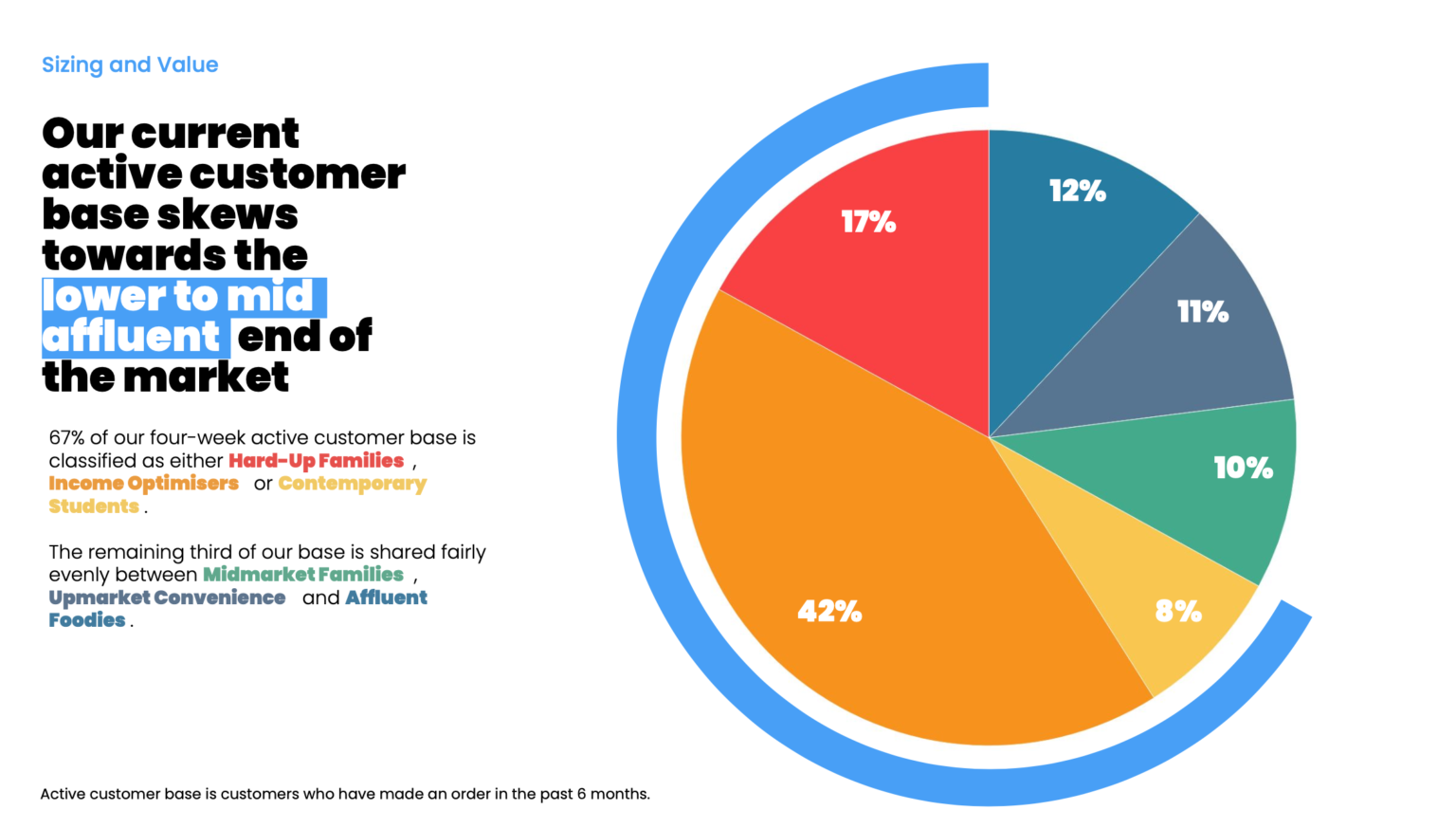
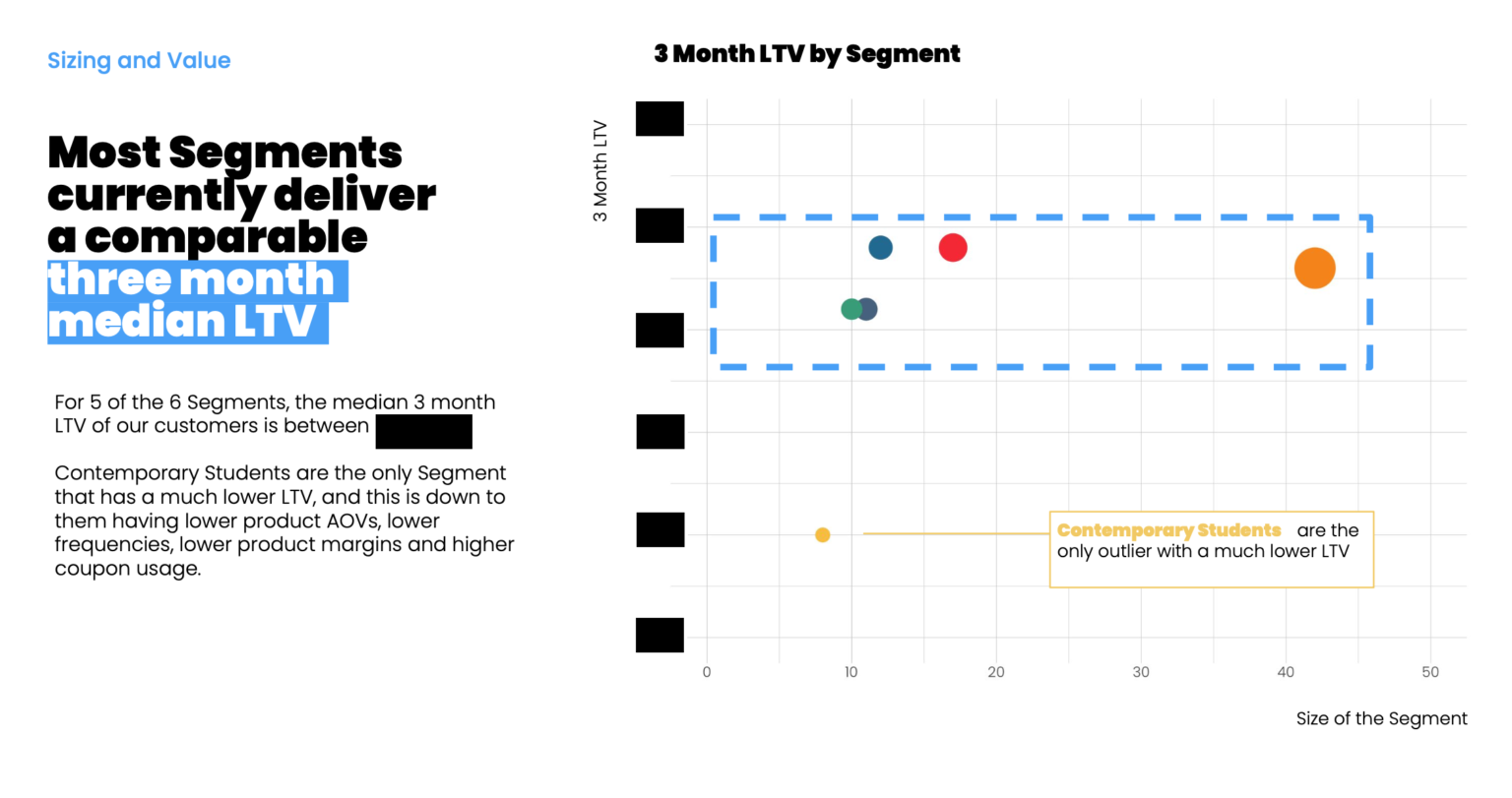
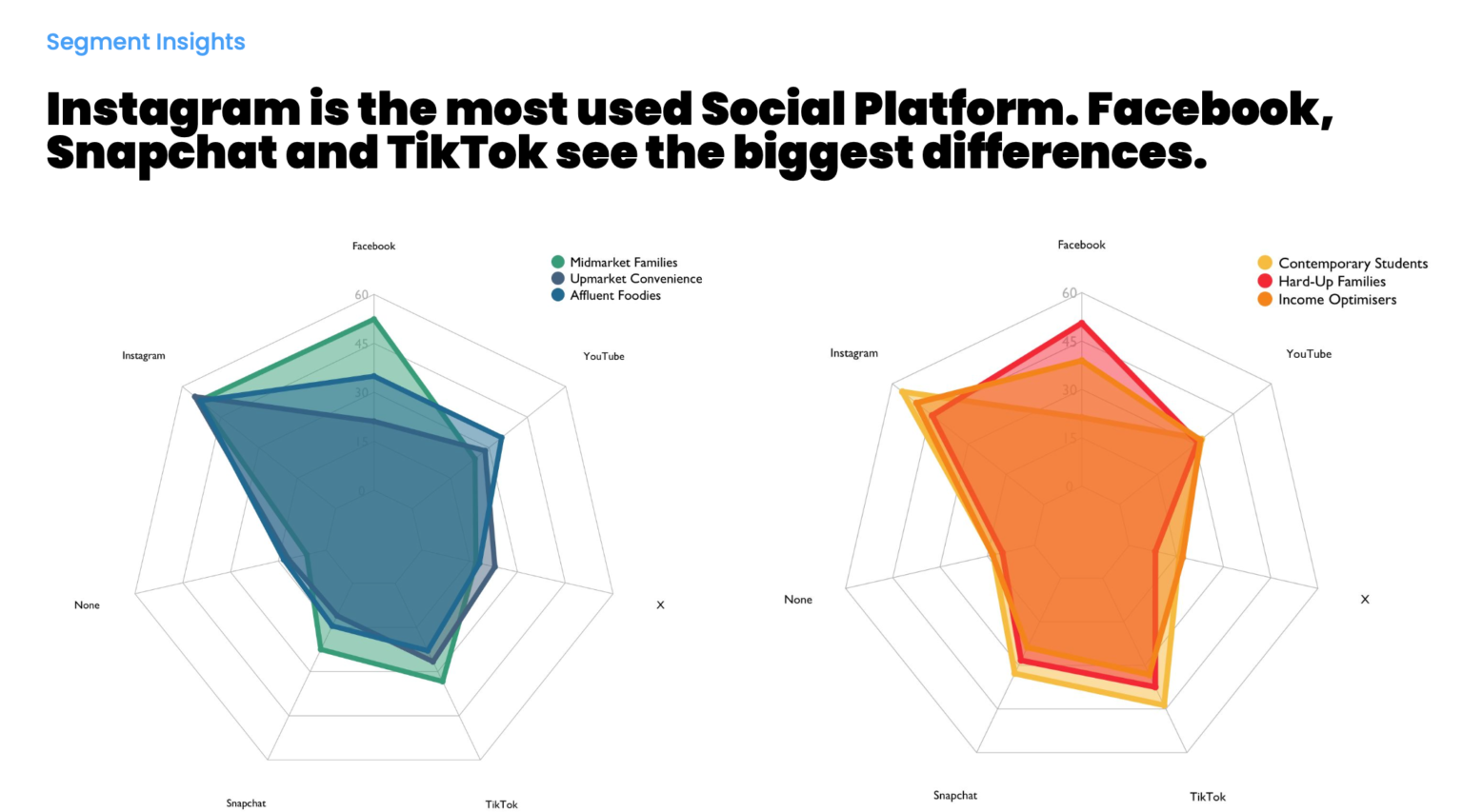
The following are some example 'Business Stories' with the above Good Chart guide in mind for a Consumer Segmentation Overview: